





Download CUniqGO APP

Download for iOS


Download for Android


How to bind your CUniq Prepaid Card?

1
Open CUniqGO APP
Log in / Register as a member
2
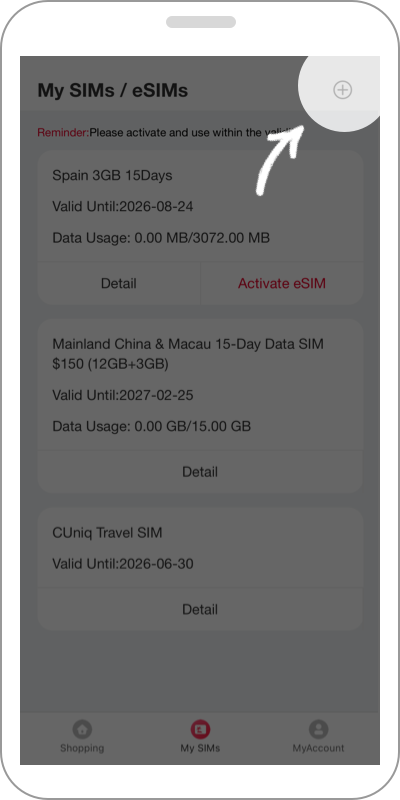
Go to [My SIMs] Page
Tap the Bind CUniq Prepaid Card entry
3
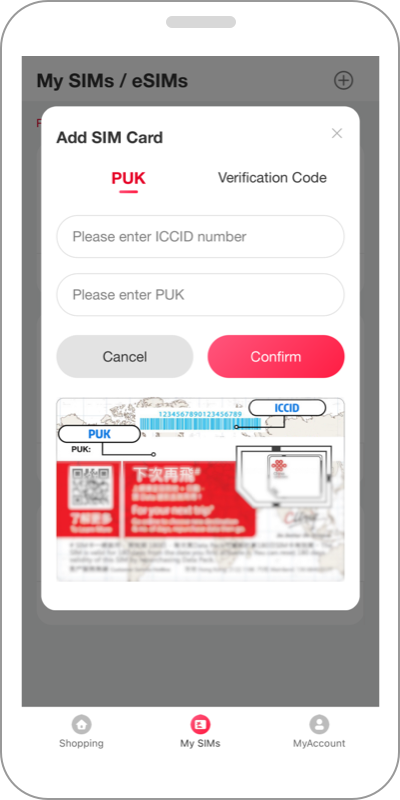
Add SIM Card
Enter ICCID with PUK Code or Verification Code to bind
4
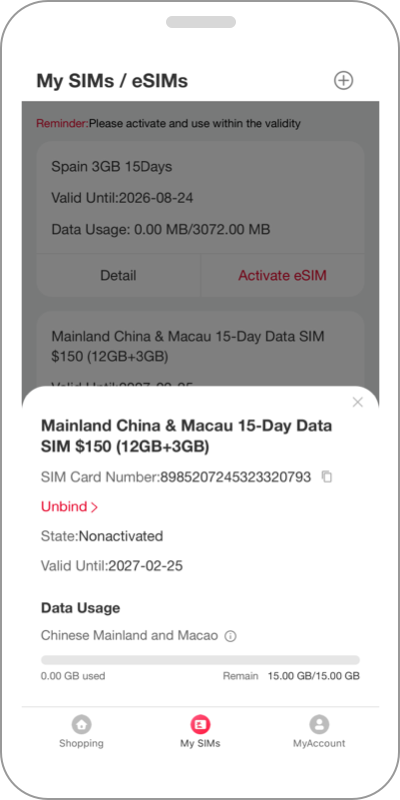
Binding Completed
Check data usage, renew online, and purchase new eSIMs anytime